Mink's edci337 Home

Enjoy the Beautiful Japanese culture

Impressive Multimedia Tools !!!

11/24/2023 Minyuan Ye V01011490

In a world were with so much data where processing has become so complex, visualization has really become an important tool not only to convey ideas and make sense of it, but to generate more ideas out of the process.

In this week’s lecture, we will learn how to use those AI tools to helo us during the studying, This is because of that i think the benefits of AI include efficiency through task automation, data analysis for informed decisions. All of these shows that AI tools will be stronger in the future.
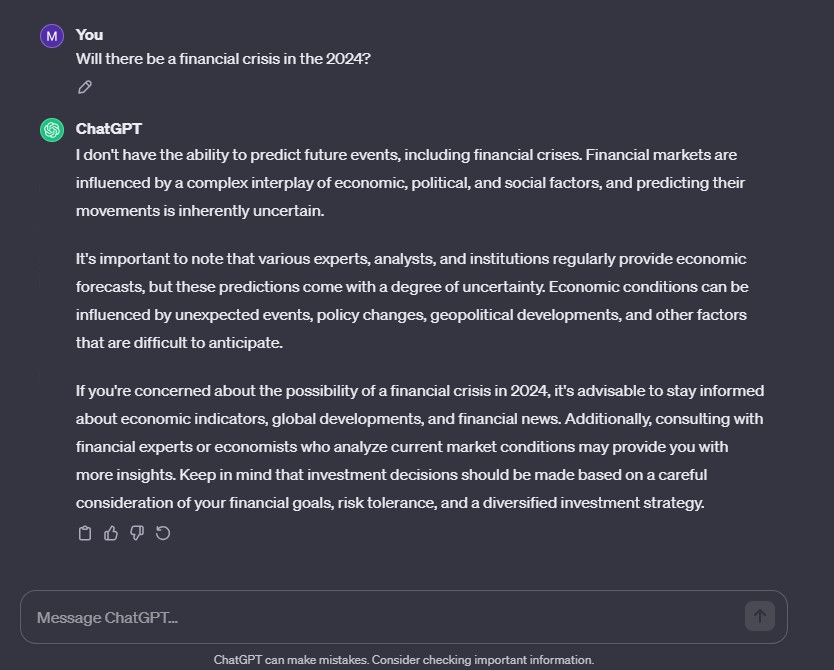
OpenAI. (2023, Nov. 24). [ChatGPT response to will therebe a financial crisis in the 2024]. https://chat.openai.com/

Based on my experience with ChatGPT, I think this tools is more like a advisor. It can provide all the information that already exist, but it will not process futher to predict the future.From the lecture, we know that ChatGPT won’t be 100% correvt,and we should always remember that this is a tools for human being getting stronger.
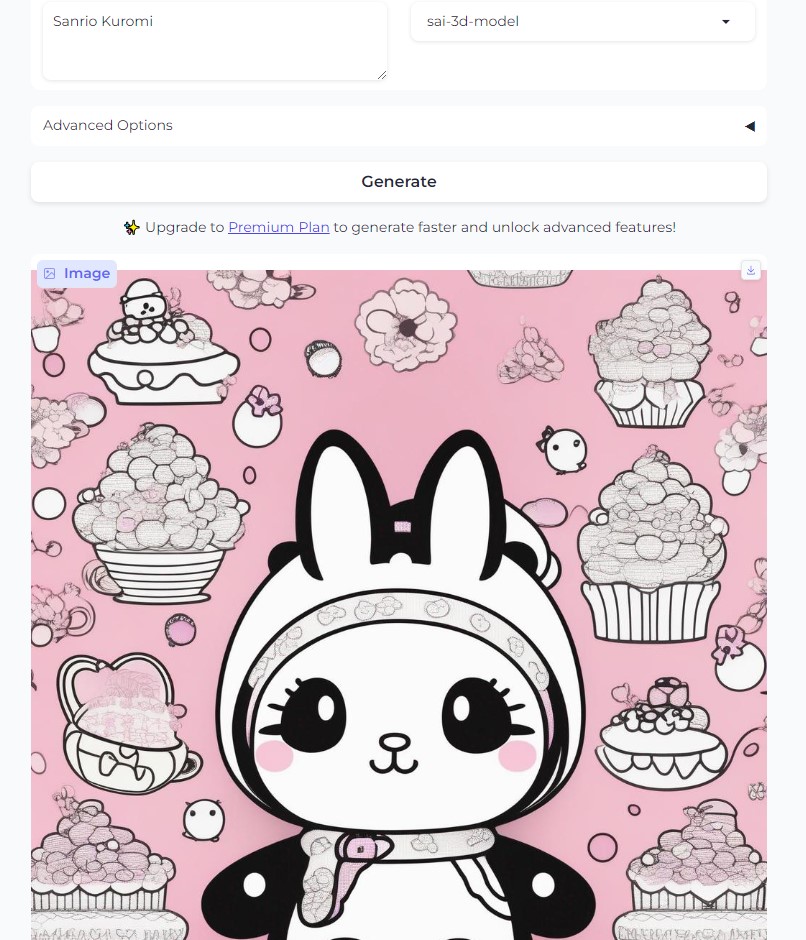
Stable Diffusion. (2023, Nov. 24). [Stable Diffusion response to create a picture of Sanrio Kuromi]. https://stablediffusionweb.com/#ai-image-generator

I personally really like one of the sanrio character which is Kuromi, so i try to use AI tools Stable Diffusion to let it to create a new one. But the result proves that AI Tools sometimes may make mistakes. Because it doesn’t have Self-awareness, Ai Tools can only do what we tell them to do. They cannot process the real purpose by processing only few words. (The picture below is the Sanrio Kuromi.)
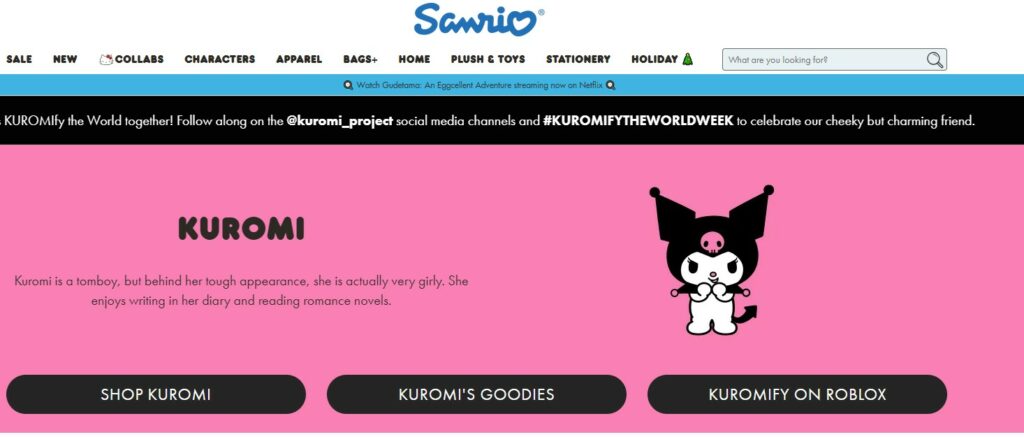
All in all, I never used AI applications before. I think nowadays it’s really easy for normal people to create “arts” by typing few words into AI applications. From my experience, I think it is really easy to use AI tools to make lots of interesting kuromi picture by ignore the Copyright. Because the produce only need to download the pictures which are created by AI tools for free, and sell the products for profits.

  • Commercial impact: Artificial intelligence is already being used to generate works in music, journalism and gaming. These works could in theory be deemed free of copyright because they are not created by a human author. 
  • Legal options: Copyright law can deal with works where human interaction is minimal or non-existent.
  • Addressing ambiguity: This leaves open the question of who the law would consider to be the person making the arrangements for the work to be generated.

What ethical concerns do you have (or not have) about the use of some of these tools?

Bias and Fairness: AI models can inherit biases present in the training data, leading to unfair or discriminatory outcomes. Addressing bias and ensuring fairness in AI applications is a crucial ethical consideration.

(OpenAI, 2023)

Privacy: The use of AI, especially in natural language processing, may involve processing sensitive information. Ensuring the privacy and security of user data is an important ethical concern.

(OpenAI, 2023)

Transparency and Explainability: Many AI models, including mine, are often considered “black boxes,” making it challenging to understand how they reach specific conclusions. Ethical considerations include the need for transparency and explainability to ensure accountability.

(OpenAI, 2023)

Security: AI systems can be vulnerable to adversarial attacks and unauthorized access. Ensuring the security of AI applications is vital to prevent misuse or malicious activities.

(OpenAI, 2023)

Learning How To Use H5P !!!

11/10/2023

In today’s lecture, i’m going to show how to use H5P and the benefits of using H5P for learning. Hope everyone can learn something interesting from my lecture. Thx!

At first, What is the H5P?

  • H5P is open source software integrated with the UofL Moodle Learning Management System which allows the easy and rapid creation of mobile-friendly interactive elements which can form an integral part of your course content.

Secondly, What’s the benefits of using H5P?

  • Adding dynamic elements to video fosters knowledge retention
  • Content is mobile-friendly and accessible across all or most devices
  • Learners can self-pace and self-test their comprehension while viewing the video
  • Dozens of elements to choose from such as drag and drop, crosswords, multiple-choice, and summary activities
  • Compatible with YouTube

It’s really fun to use H5P to make an interactive video by using H5P. It is easy to create a H5P by following the instruction, But when i try to insert my H5P video into the blog, It can only show the code rather than showing the video like youtube in the draft. At the end, I found that The H5P video will not preview like a regular YouTube video in edit mode, but will display properly when you view the public version of the web page. Hope you guys can enjoy the interesting video that i selcted. <3

What’s the fun function about the H5P tools?

H5P is an abbreviation for HTML5 Package, and aims to make it easy for everyone to create, share and reuse interactive HTML5 content. In the H5P tools i found that it can related to our course contants:

  • Learning Outcomes: This tool is ideal for measuring student comprehension before, during, and after class.
  • Evidence of Learning: The score of the question can show the knowledge, skills, or attitudes described in these results can be demonstrated.
  • Putting Text in the label: This helps learners can apply their new knowledge and skills
  • Multiple choice: This helps students to usderstand the story, and study more efficiency.

By using this tools, i believe that students can be passive learning by watching the fun short story that i provided, and they can also be active learning by answering the question.

It is a practical tool for creating interactive, personalized content for your online training course. It brings with it a massive toolbox that features an array of different offerings at its disposal.

The last step of inserting H5P to your blog.

Tips: Providing this video is becasue of that i waste almost 20 mins to figure it out how to see H5P preview video like youtube video. TRUST ME!!! YOU ONLY NEED TO TYPE SHORT CODE!!!

Storytelling and Creating Video for learning!!!

Sometimes people will think, “I can’t tell a story,”“I can’t stir up emotions,” that storytelling is a skill that only people in the public speaking profession possess, but that it’s something we’re born with, think about when you were a child, whether or not you played“Role-playing” games with friends, but also for their role to build a complete background story.

How to Use Storytelling in a Speech | Public Speaking

Types of Storytelling: The Multifaceted Art of Narrative

  • Oral Storytelling: They intertwined history, culture, and wisdom into spoken word performances that captivated listeners. 
  • Visual Storytelling:  It harks back to ancient cave paintings and hieroglyphics that communicated stories visually. 
  • Written Storytelling: From ancient scrolls to modern novels, written narratives encompass a vast array of genres and styles.
  • Digital Storytelling: emerged with the digital age, leveraging technology to combine various mediums into immersive narratives. It integrates text, images, audio, and video to create engaging experiences.

Storytelling Video:

 In Summary: 

  • Enable children to empathise with unfamiliar people/places/situations. 
  • Offer insights into different traditions and values. 
  • Offer insights into universal life experiences. 
  • Help children consider new ideas. 
  • Reveal differences and commonalties of cultures around the world. 
  • Promote a feeling of well-being, fun and relaxation. 
  • Increase children’s willingness to communicate thoughts and feelings. 

Twine!!!

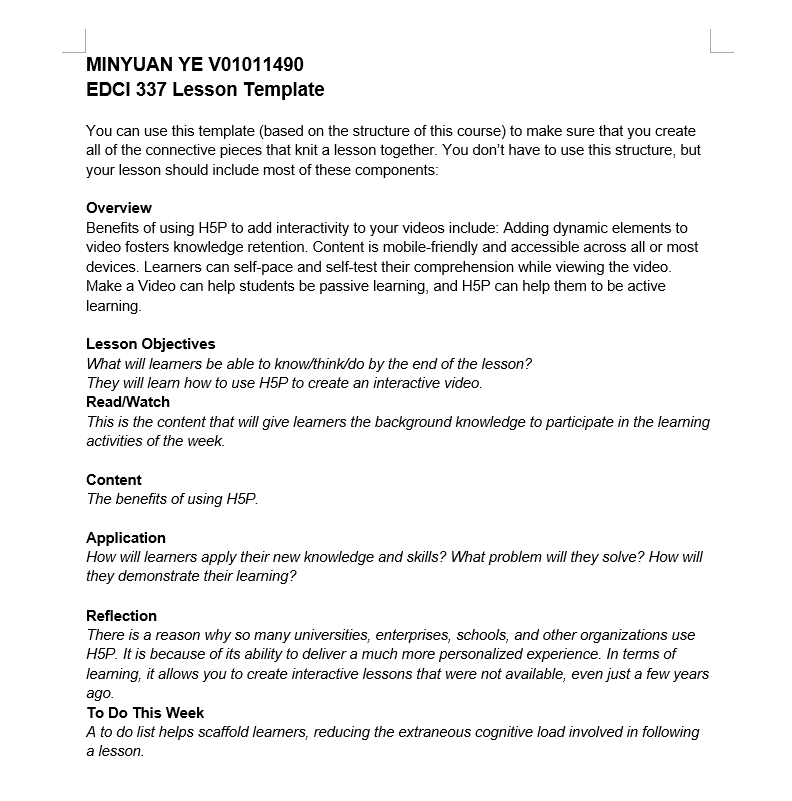
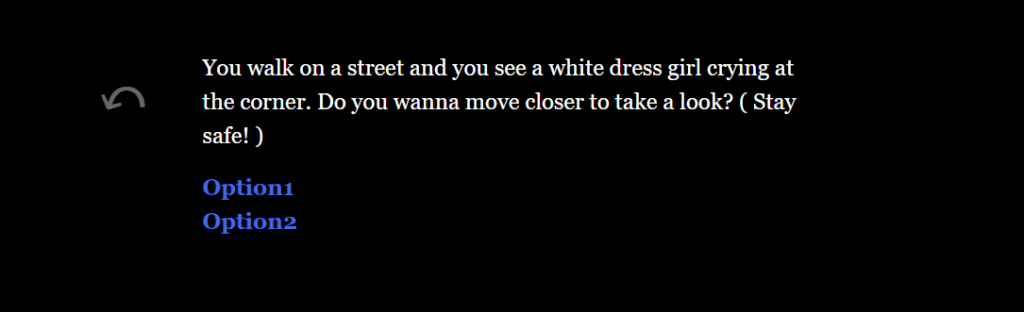
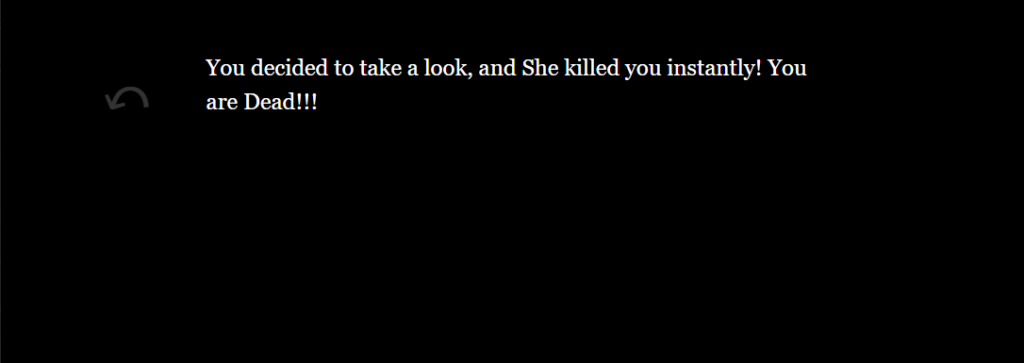
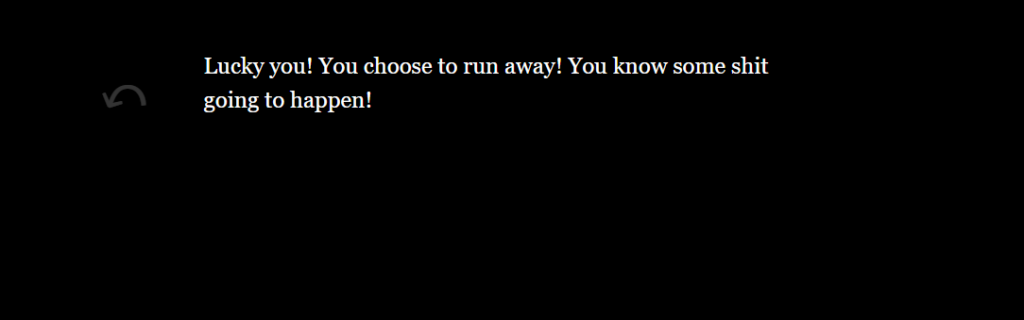
You can try my New Halloween game in the HTML FILE. Good Luck!

Stay Safe!

Screenshot:

  • when I was a child, my favorite story is Robinson Crusoe . After i read this story at school, i dreamed that i became the Robinson,and do those advantures in the different places due to those fascinating story details.Also, some interesting images in the book also helps me to uderstand what kind of situation that Robinnson are facing. It’s pretty close to Visual storytelling.
  • In the reading this week, 7 Storytelling Techniques Used by the Most Inspiring TED Presenters, I personally like Richard Turere the most, this is because of that he uses big images to attract audience to focus on his speach.Also, it clearly followed a golden rule of presentation-giving which is to use visuals that supplement your story rather than repeat what has already been said.
  • I think i used visual storytelling a lot, because i really love watching images during a presentation as an audience. But i think i’m not good at speaking, so that i may try my best to improve my presentation skills in the future.

Let’s make a Wonderful Mcdonald Burger by your own!

EDCI 337: Advanced Multimedia design

Minyuan Ye V01011490

In this Project, We are going to have some fun about making your own Bueger!

Overview:

In this week, We are going to personalized your own mcdonald burger based on your own taste and demand. Becasue different groups of people need different amout of calories per day:

  • In fact, we often have lower calorie needs than we think. If you are trying to lose weight, you’ll want to consume even fewer calories.
  • People who always go to the gym require limit calories.
  • People who don’t care about weight can choose the best for them.

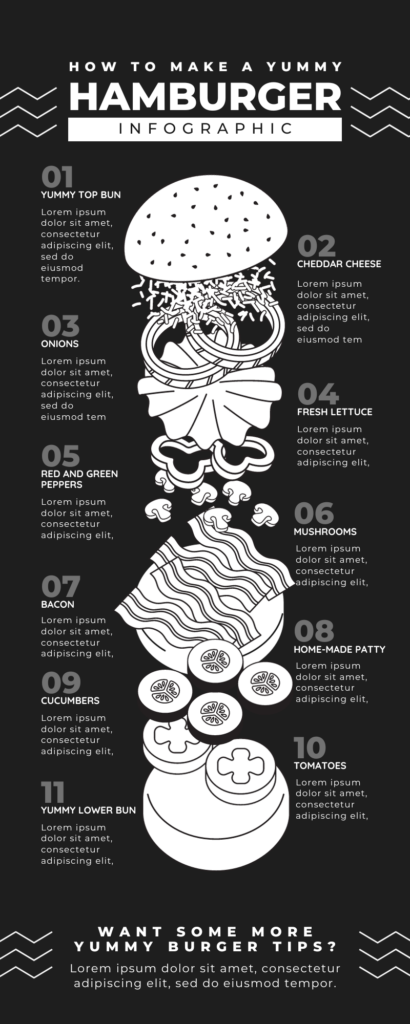
In order to show how we can made the best burger for you, we can find some useful imformation from the picture in order to know how to build a burger.

  • How many Steps that we need for making a Yummy burger?

  • What Vegetables that we can put into the Yummy burger?

  • What type of meat you prefer in the Yummy burger?

This funny cheese bueger video contains lots of design principles which is a simple framework of values that describe specific goals required for the success of a product. ( Caption available)

WAVE Accessibility Checker :

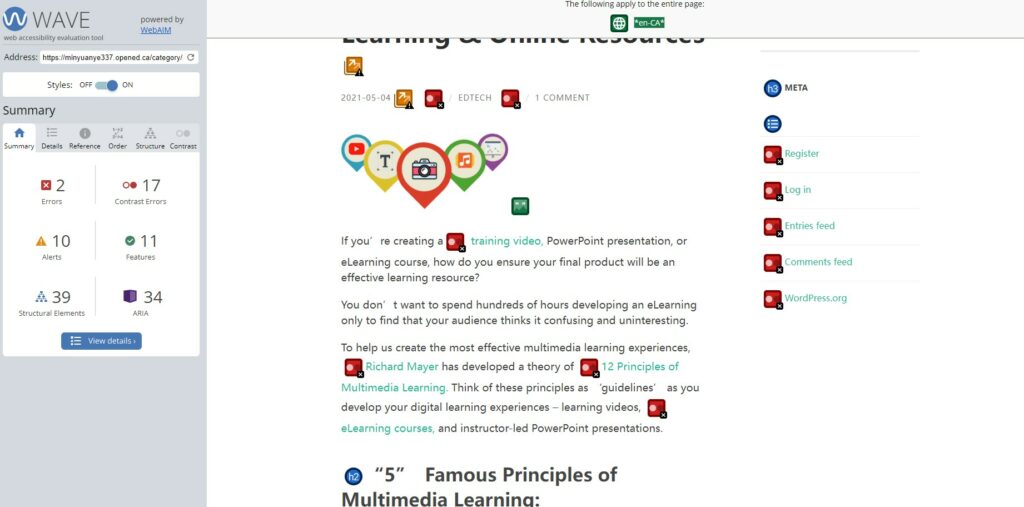
What surprised you about the findings?

I found that I have too many contrast Errors in my work, Becasue i put lots of imformation which may not that important ralated to the Topic.

What will you change going forward?

I will try to cite the most important imformation from the lecture, and show it very clear instead of putting too many words into it.

Mayer’s Theory of Multimedia Learning :

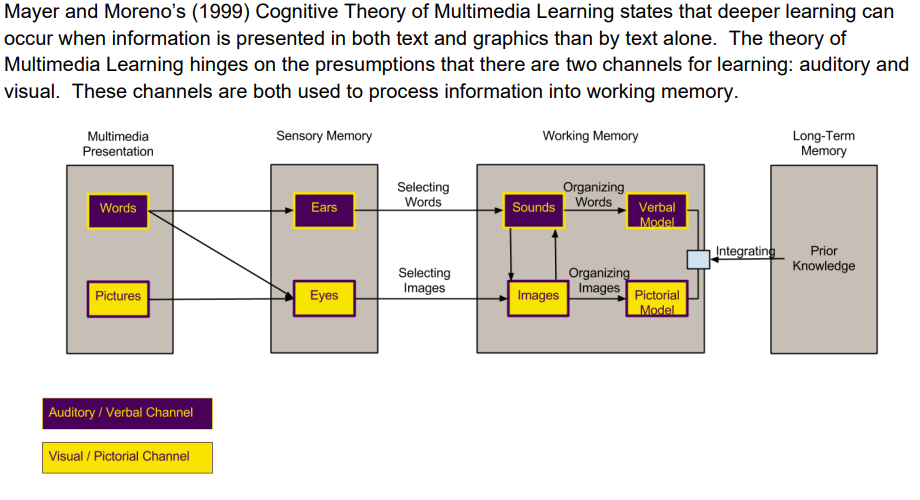
Mayer and Moreno’s (1999) Cognitive Theory of Multimedia Learning states that deeper learning can occur when information is presented in both text and graphics than by text alone. The theory of Multimedia Learning hinges on the presumptions that there are two channels for learning: auditory and visual.

Constructive alignment & Backwards design :

Constructive alignment is a design for teaching in which what it is intended students should learn and how they should express their learning is clearly stated before teaching takes place. Teaching is then designed to engage students in learning activities that optimise their chances of achieving  those outcomes, and assessment tasks are designed to enable clear judgments as to how well those outcomes have been attained

“Backward Design” is an approach to creating curriculum, subjects, and even single class sessions that treats the goal of teaching as not merely “covering” a certain amount of content, but also facilitating student learning. Backward design prioritizes the intended learning outcomes instead of topics to be covered.

Universal Design for Learning (UDL) :

Universal Design for Learning (UDL) is a framework to improve and optimize teaching and learning for all people based on scientific insights into how humans learn.

I find that i always wanna put all the principles into my blogs, and this will make audiences stressful. So that, i’m trying to put less paragraph into each part. About the video i tried to put caption into the Video, but i found that Youtube is the most helpful tool to create captions for different language speakers.

Leave a Reply

Theories of Multimedia Learning & Online Resources

If you’re creating a training video, PowerPoint presentation, or eLearning course, how do you ensure your final product will be an effective learning resource?

You don’t want to spend hundreds of hours developing an eLearning only to find that your audience thinks it confusing and uninteresting.

To help us create the most effective multimedia learning experiences, Richard Mayer has developed a theory of 12 Principles of Multimedia Learning. Think of these principles as ‘guidelines’ as you develop your digital learning experiences – learning videos, eLearning courses, and instructor-led PowerPoint presentations.

“5”  Famous Principles of Multimedia Learning:

  • The Redundancy Principle

    Next up? The Redundancy Principle. This principle suggests that humans learn best with narration and graphics, as opposed to narration, graphics, and text. The theory here is that if you already have narration and graphics, then the text on top is just redundant information. And this can be overwhelming for a learner.

  • The Coherence Principle

    First up is the Coherence Principle, which states that humans learn best when extraneous, distracting material is not included.

    Simply said, cut out the extras. Use only the information that the learner needs. And most often, that means simple text and simple visuals that relate directly to the learning topic. Remove all the fluff.

  • The Signaling Principle

    Next up is the Signaling Principle, which essentially means that humans learn best when they are shown exactly what to pay attention to on the screen. If there is a ton of information on the screen, how is the learner supposed to know what is the most important part?

  • The Spatial Contiguity Principle

    The Spatial Contiguity Principle is about the actual space in between your text and visuals on the screen, stating that humans learn best when relevant text and visuals are physically close together.

  • The Segmenting Principle

    Next is the Segmenting Principle which states that humans learn best when information is presented in segments, rather than one long continuous stream. Mayer found that when learners can control the pace of their learning, they performed better on recall tests.

  • The Pre-Training Principle

    The Pre-training Principle states that humans learn more efficiently if they already know some of the basics. This often means understanding basic definitions, terms, or concepts before beginning the learning experience.

    And this makes intuitive sense. If a learner starts an eLearning course knowing about the topic, they can easily become overwhelmed once complex visuals and definitions start being thrown their way. A bit of pre-training before starting the course really would have helped.

  • The Modality Principle

    The Modality Principle states that humans learn best from visuals and spoken words than from visuals and printed words. This doesn’t mean that you should never use text on screen, it simply means that if there are visuals and too much text, learners will be overwhelmed.

    SCREEN CASTING:

Which principles in my mind when I were creating My screencast?

  • Dual Coding: Learning materials can be visually represented in many ways such as graphic organisers, flow charts, diagrams, cartoon strips, editable timeline and infographics.
  • Instrinsic: I didn’t use lots of websites and ways to explain how to use Those math tools. I just show it very directly and clear.

What i choose not to add in my Video:

  • Adding Music – distract my audience
  • Using line tools – I believe my recomended requires explaining more than showing.

Online Resources

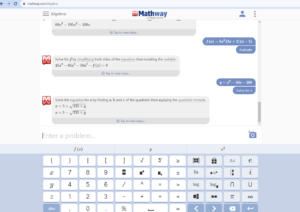
  • Mathway   –  Mathway is the world’s smartest math calculator for algebra, graphing, calculus and more! Mathway gives you unlimited access to math solutions that can help you understand complex concepts.

  • Desmos     –  At Desmos, we imagine a world of universal math literacy and envision a world where math is accessible and enjoyable for all students.

© 2026 Mink's edci337 Home

Theme by Anders NorenUp ↑